

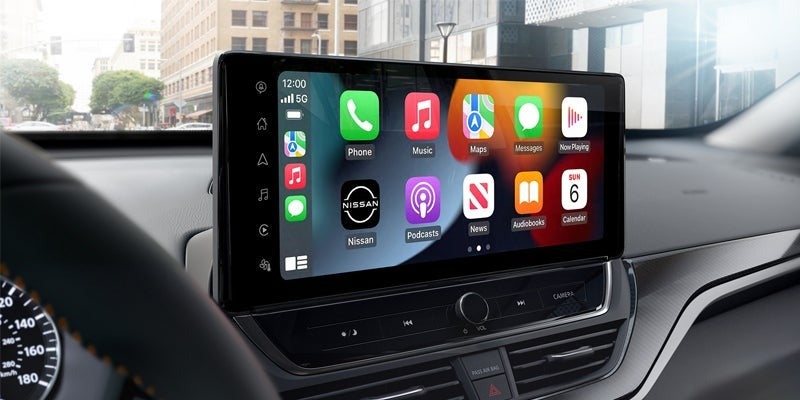
Now that you’ve driven your vehicle home from your neighborhood Nissan dealer, it’s time to explore its many innovative features, starting with the advanced infotainment system. Infused with the latest technologies, the NissanConnect infotainment platform is a hub for information, entertainment, connectivity, and interaction with your vehicle. Here are a few advanced solutions for getting the most out of your Nissan infotainment system.
Wireless Smartphone Connectivity
On properly equipped Nissan vehicles, you can connect your Android or Apple smartphone with your vehicle’s infotainment system to make hands-free calls, send and receive text messages, and get detailed driving directions. Follow these steps to set up a wireless Android Auto connection:
- Connect your device to the vehicle’s Bluetooth system.
- Make sure Wi-Fi is enabled.
- Follow the prompts on the infotainment system display to finish setting up Android Auto.
Apple smartphone users can set up a wireless Apple CarPlay connection as follows:
- Set your infotainment system to Bluetooth or Wireless.
- Press and hold the Voice Command button on your steering wheel.
- Go to Settings > Wi-Fi on your iPhone and connect to the CarPlay option.
- Next, navigate to Settings > General > CarPlay and select your vehicle.
Voice Recognition
To keep your hands on the wheel and your eyes on the road, your infotainment system’s voice recognition capabilities enable you to control a wide variety of functions using just your voice. Press the Talk button on the steering wheel to activate voice commands. The infotainment screen will display voice recognition categories including navigation, phone functions, and audio controls.
Additional voice recognition features available in your Nissan include natural language commands, a hands-free text messaging assistant, and Amazon Alexa integration. For iPhone users, Apple’s Siri Eye Free technology enables you to use the power of Siri to make calls, send and receive text messages, and play music. Press and hold the Voice Command button on your steering wheel until you hear the Siri tone and then state a verbal command.
Remote Engine Start
With a NissanConnect subscription and the MyNISSAN app on your smartphone, you can start your vehicle’s engine remotely before sitting inside the cabin and getting behind the wheel. To utilize this feature, open the app and press and hold the Start/Stop button for several seconds. You’ll know that the engine has successfully started if you see a timer appear on your screen, indicating the time remaining (usually 10-20 minutes) before the engine shuts off.
Advanced Navigation
Whether exploring your local area or heading off to unexplored territory, your infotainment system can help you navigate unfamiliar streets and discover new and exciting places. With a NissanConnect subscription, you can utilize the power of Google Maps to retrieve turn-by-turn and lane-specific driving guidance updated in real time for live traffic and weather conditions. With curated points of interest at your disposal, Google Maps can make every trip memorable.
Your Nissan’s infotainment platform has all your information, entertainment, and navigation needs covered. To explore these and many other innovative features, visit the experienced sales team at Ken Ganley Nissan Medina in Medina, OH, and arrange a test drive today.
Connect with us


